Call recording is a useful feature for tracking conversations, reviewing performance, and keeping records of important interactions.
In this guide, you’ll learn how to record a call and where to find it afterward.
Step-by-step video guide
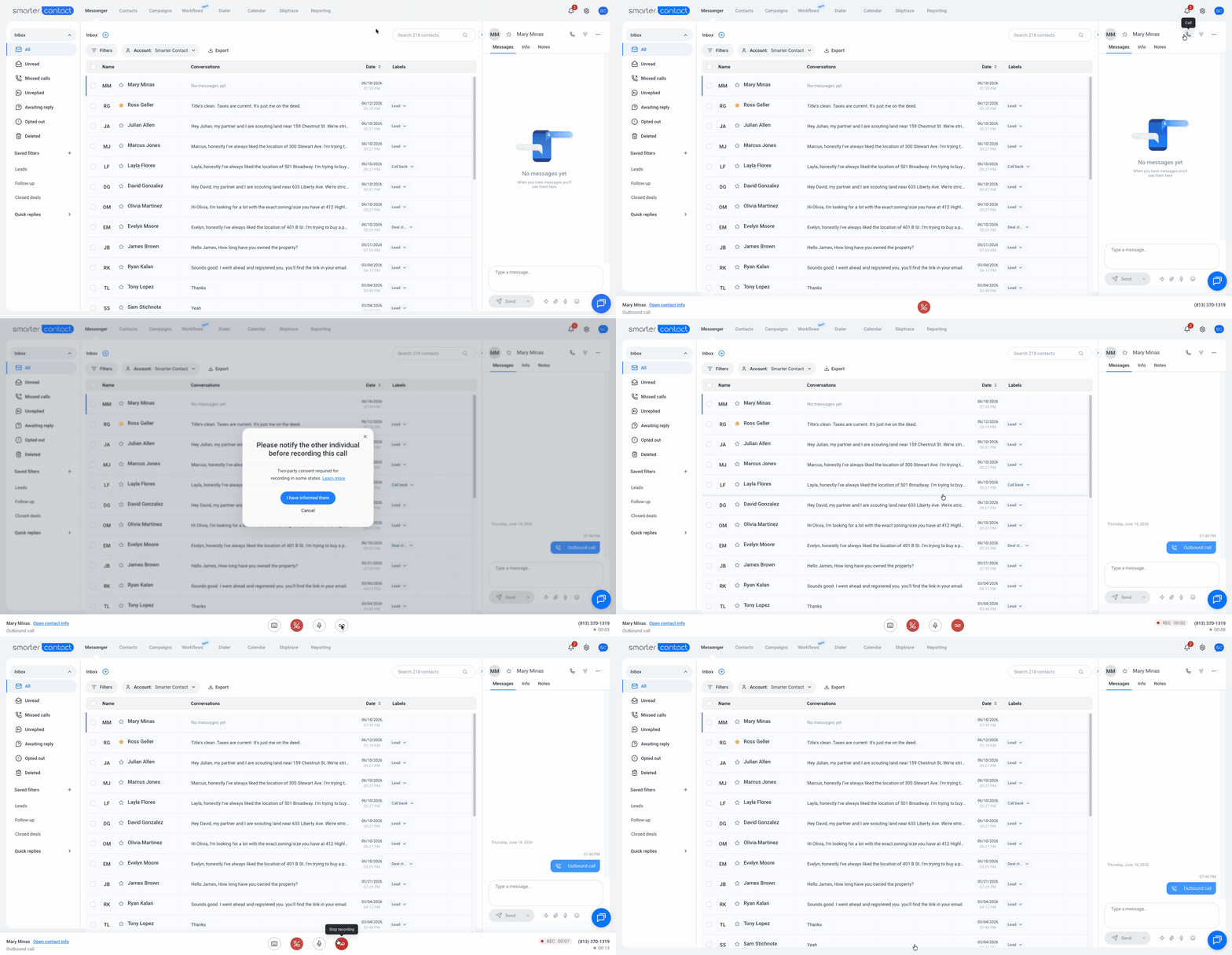
How to record a call
- Start a call with a contact
- Open a text conversation with a contact and initiate a call as usual.
- Click on Call Recording
- When the call starts, the Call Recording button will appear. Click it to begin recording.
- Confirm the recording
- A popup will appear asking you to confirm that you’ve informed the other person, if required by your local laws. Click to confirm and start recording.
- Recording in progress
- Once confirmed, the recording will begin. You’ll see a recording indicator on the right side of the dialer.
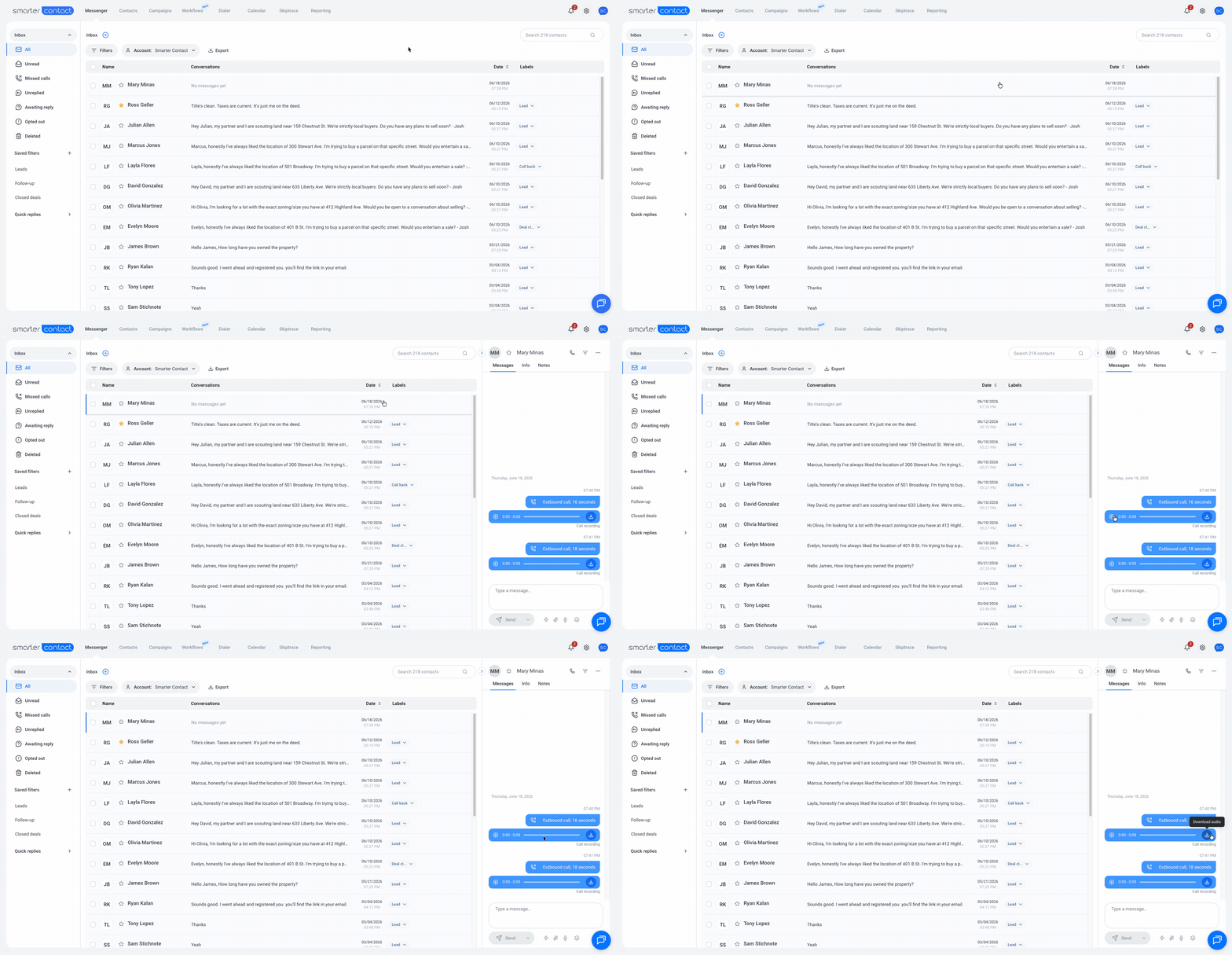
How to listen to a recorded call
- Go to the Messenger
- After the call ends, the recording is automatically saved.
- Open the conversation
- Find and open the conversation with the contact.
- Access the recording
- The recording will appear just below the call log.
- Listen or download
- You can play the recording directly or download it for future reference.