

With Smarter Contact, you can register for FREE. We kept it as SIMPLE and SMOOTH as possible.
In this guide, we’ll walk you through exactly how to get approved, without delays or rejections.
Need faster approval?
If you want to start your texting campaigns as soon as possible, you can use our expedited 10DLC service.
- We create a fully compliant website for you
- We handle the requirements needed for approval
- You can get approved in as little as 2 business days
This is one of the fastest ways to start sending SMS without delays or rejections.
Step-by-step video guide
Instructions:
1. Activate your subscription
Go to the Membership page and activate your subscription.
⚠️ Trial users cannot complete A2P 10DLC registration.
2. Access the Brand registration page
Go to Settings → Brand Registration in your dashboard.
.png?width=670&height=318&name=Screenshot%201%20(1).png)
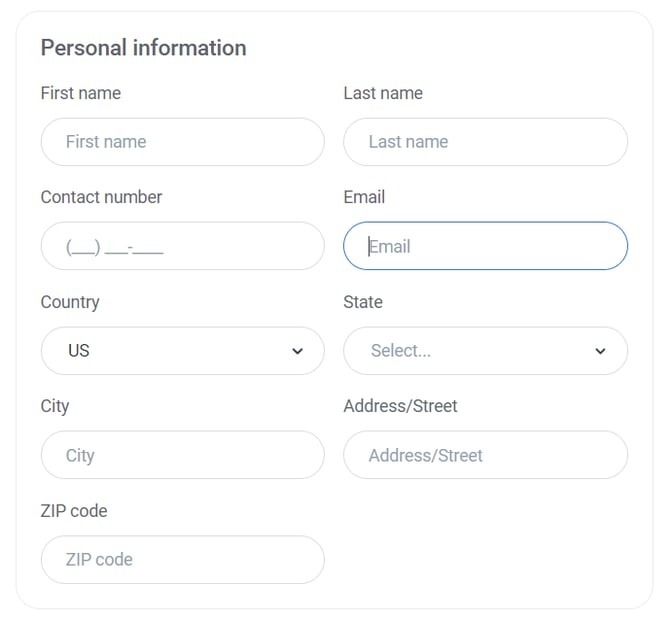
3. Fill in Personal Information
Complete all required fields:
- First Name
- Last Name
- Contact Number
- Country, State, City
- Address and ZIP Code
Important:
- Your contact number must match the one listed on your website
- Your email domain should match your website domain
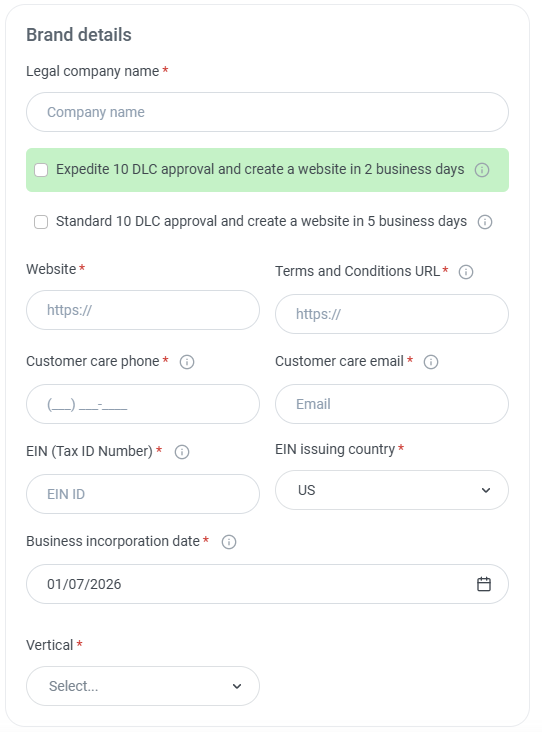
4. Add Brand Details
Legal Company Name
Enter your legal business name exactly as it appears in official documents.
⚠️ Even small mismatches can lead to rejection.
Website
Provide a valid website that represents your business.
Your website must:
- Use HTTPS (https://)
- Match your company name
- Display consistent contact information
- Include a valid phone number and business email
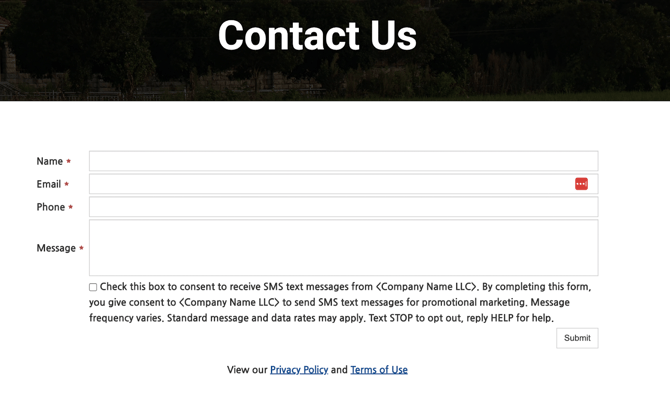
🔒 Opt-in requirements (critical for approval)
Your website must include compliant SMS opt-in language with:
- Clear description of your messaging purpose
- Message frequency disclosure
- “Message and data rates may apply”
- Customer support info (e.g., “Text HELP for help”)
- Opt-out instructions (“Reply STOP to unsubscribe”)
- A consent checkbox (unchecked by default)
- Privacy Policy
Here’s an example:
5. Enter your EIN (Tax ID)
Provide your EIN number.
⚠️ This must match exactly with IRS records.
Even one incorrect digit can result in rejection.
- EIN is used only for verification
- Only U.S.-registered businesses are supported
To get more information and apply for your own EIN, click here
6. Select your Vertical and Use Case
- Vertical: your industry
- Use Case: how you’ll use SMS (e.g., marketing, follow-ups)
💡 For real estate investors, “Marketing” is often recommended for flexibility.
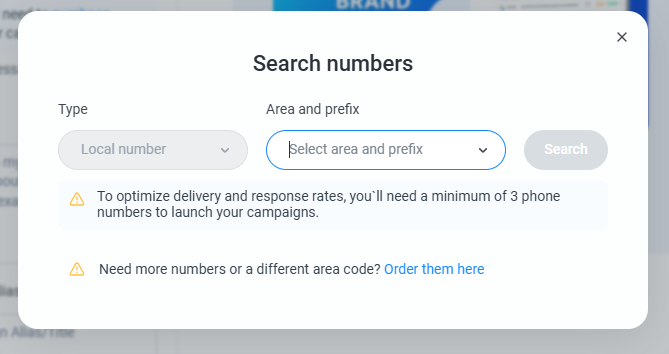
7. Purchase your phone numbers
Before continuing, you’ll need to purchase your phone numbers.
Click to search for available numbers and select at least three local numbers to proceed.
⚠️ A minimum of three numbers is required to optimize delivery and response rates.
Once you’ve selected your numbers, complete the purchase and continue with the registration.
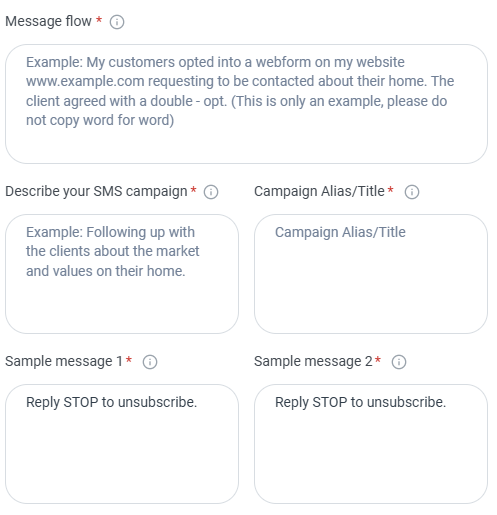
8. Define your message flow
Explain how users opt in to receive messages.
Example:
Customers submit a form on our website and explicitly consent to receive SMS communication.
⚠️ Be clear and specific, this is required for approval.
9. Describe your SMS campaign
Provide a short explanation of how you’ll use SMS.
Example:
- Following up with leads
- Sending updates or offers
- Customer check-ins
10. Add campaign name
Give your campaign a clear title, such as:
- Lead Follow-Up Campaign
- Customer Check-In
11. Add sample messages
Provide at least two example messages.
Your messages should:
- Reflect real use
- Include your brand name
- Be clear and conversational
- Always include:
“Reply STOP to unsubscribe”
Final step
Once everything is completed, click Submit and wait for approval.
Approval timeline
- Average approval time: 3-5 business days
- New EINs may take longer due to IRS processing
- Approval is handled by carriers (not Smarter Contact)
Common reasons for rejection
To avoid delays, double-check:
- EIN or company name doesn’t match official records
- Missing or unclear opt-in process
- Website not compliant
- Generic or copied message flow
- Inconsistent contact information
Important notes
- All fields are required for submission
- You can have up to 49 active local numbers per account
- Each subaccount must also be registered
- Message templates must be unique per subaccount
- Carriers may request additional documentation