

Until now, search covered names and phone numbers. In 3.13 it also covers addresses, emails, parcel details, and every custom field you've set up. And when you already know what you're looking for, you can point search at a single field instead of the whole contact.
Here's what's new.
🔍 A search field that looks where you point it
Broad search works the way it always has. Name and phone are both on by default, so you can click the search box and start typing.
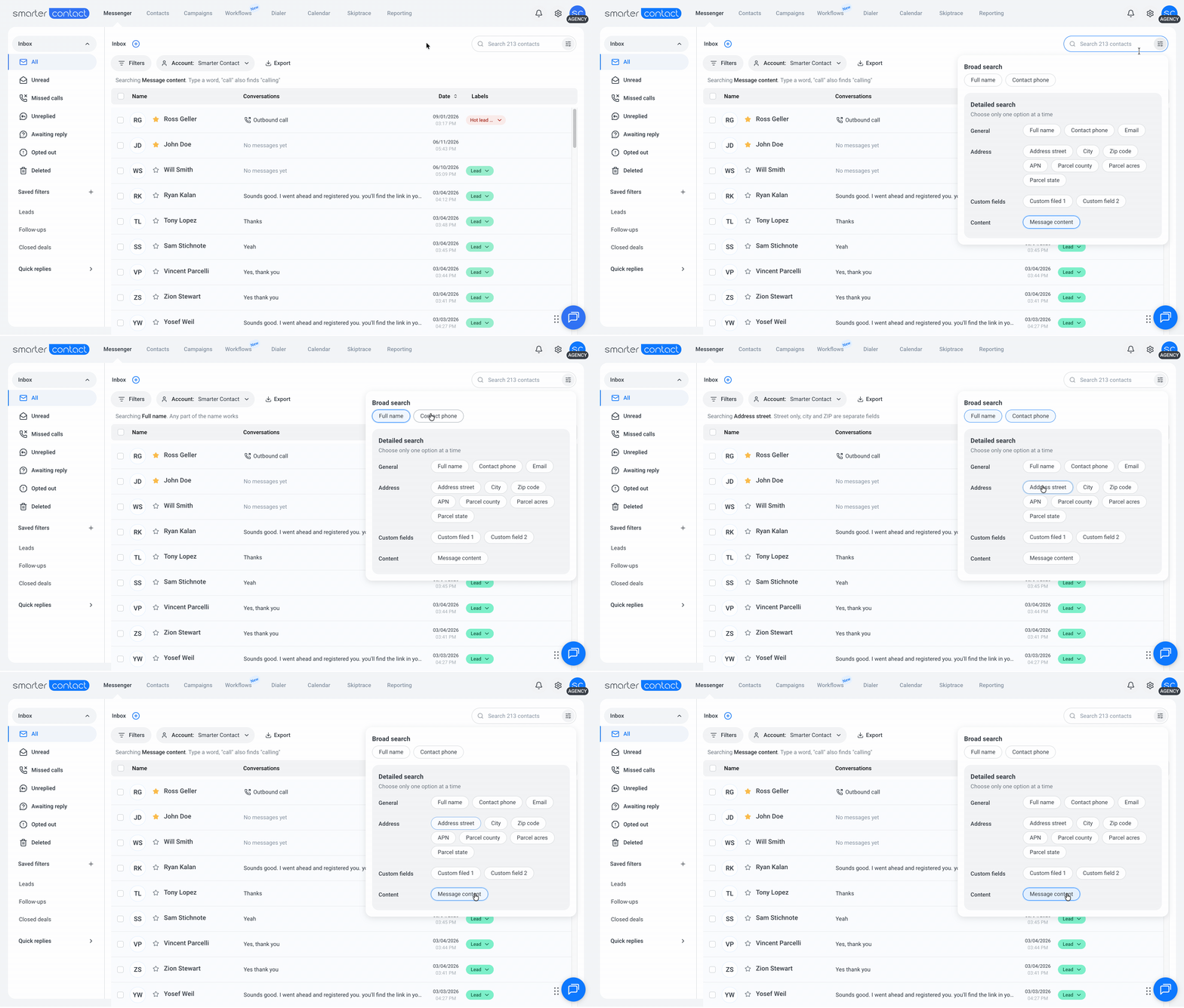
Detailed search narrows to one field at a time: email, a piece of an address, a parcel detail, message content, or any custom field. Scoping to a single field is what keeps results fast on large accounts. Click Advanced search to open it. It stays closed until you ask for it, so clicking into the search box no longer puts a panel over your work.
Your choice sticks. The field you pick carries across sessions and between Messenger and Contacts, so you don't reset it every time.
A summary line above your results shows where you're pointed: which field is selected, what kind of input it expects, and how many results matched. You'll know your search is set up the way you meant before you finish typing.
And on a large contact list or a busy inbox, you'll see a card confirming the search is running and roughly how much it's covering, instead of a blank screen while you wait.
💬 Search inside the conversation
Message content search is live in both Messenger and Contacts, under Detailed search alongside address, email, and custom fields. Instead of finding a contact by their details, you can find them by what was actually said.
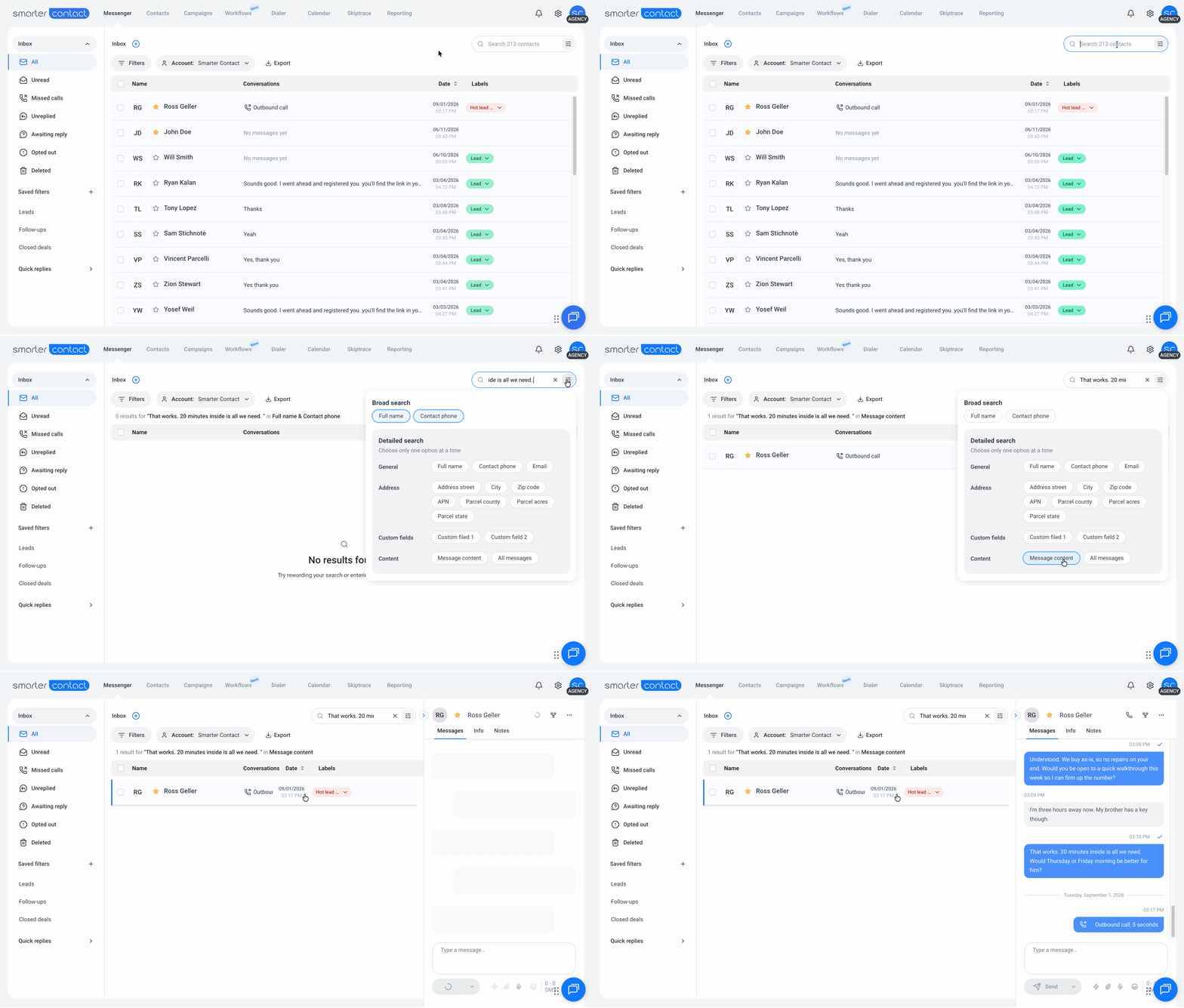
It understands related forms of a word, so searching selling also turns up sells and seller. And your filters still apply, so Unread, Missed calls, and Unreplied keep working alongside it.
By default it reads your back and forth and leaves campaign text out, so one template sent to hundreds of contacts doesn't bury the reply you're looking for. Switch to All messages if you want campaign text included too.
🎯 How matching works
Names and phone numbers still match on a fragment, so har finds Harold exactly as it does today.
The new fields match whole words instead, with each value split at its punctuation. That means 9549 Elbow Lake Rd answers to elbow, and a dashed APN answers to its middle section. It also means tam won't find Tampa Bay, and a ZIP needs all five digits.
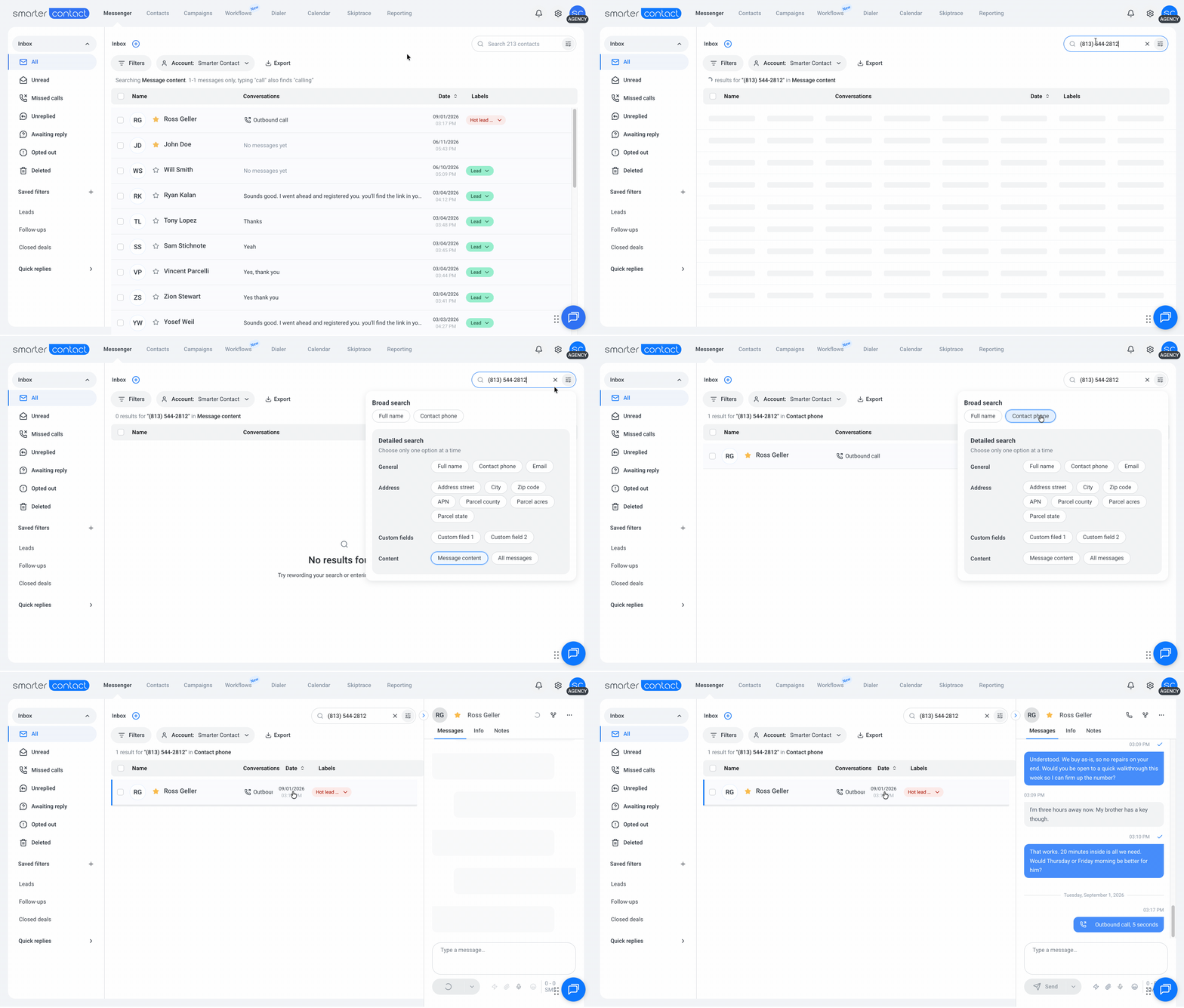
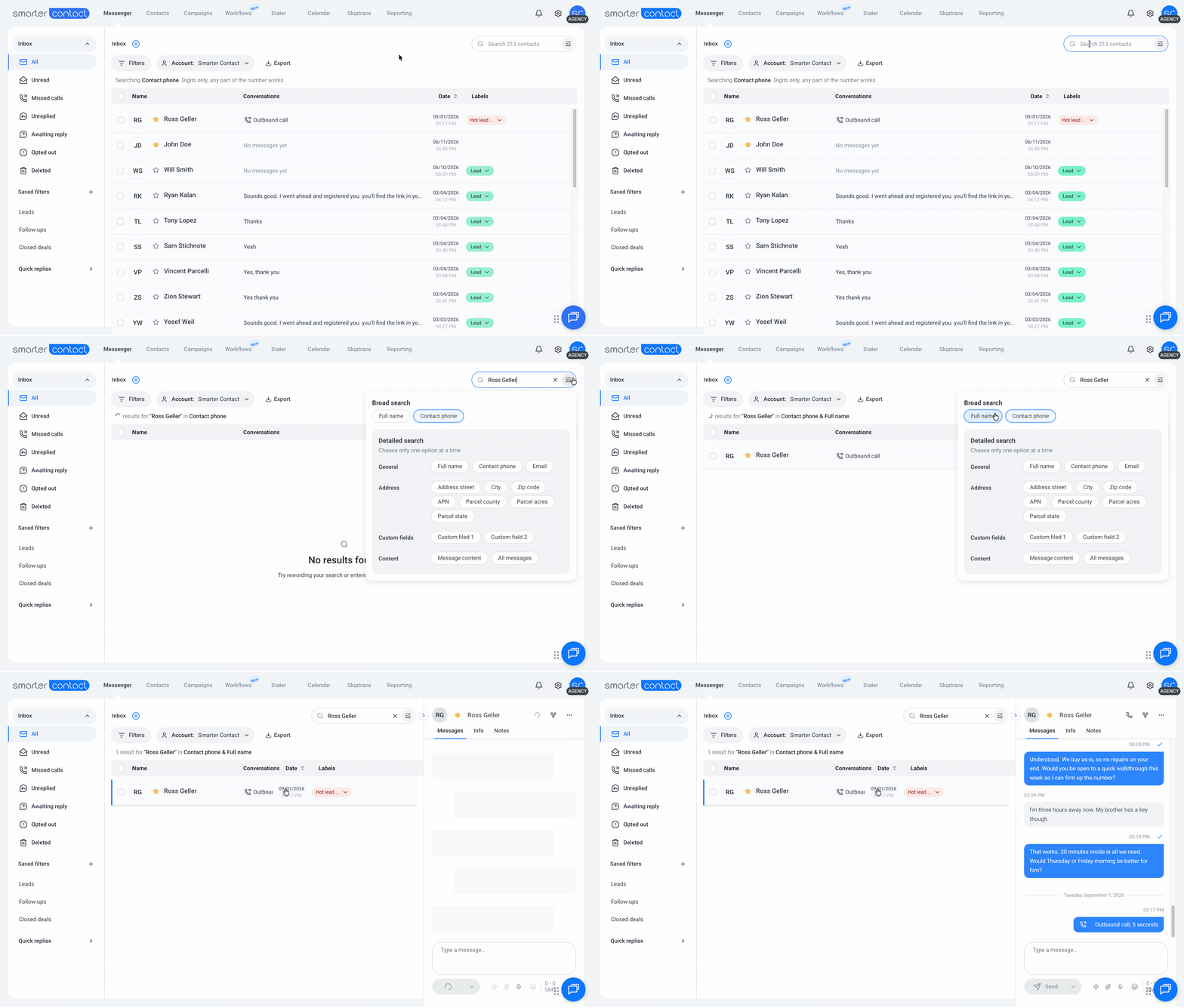
We started here to keep search fast while we see how it performs at scale. If whole-word matching turns out to be the wrong tradeoff, we'll widen it.
📍 Search by address, parcel, or your own fields
- Street, city, state, and ZIP. Each one covers both the property value and the mailing value, so it doesn't matter which one you stored it in.
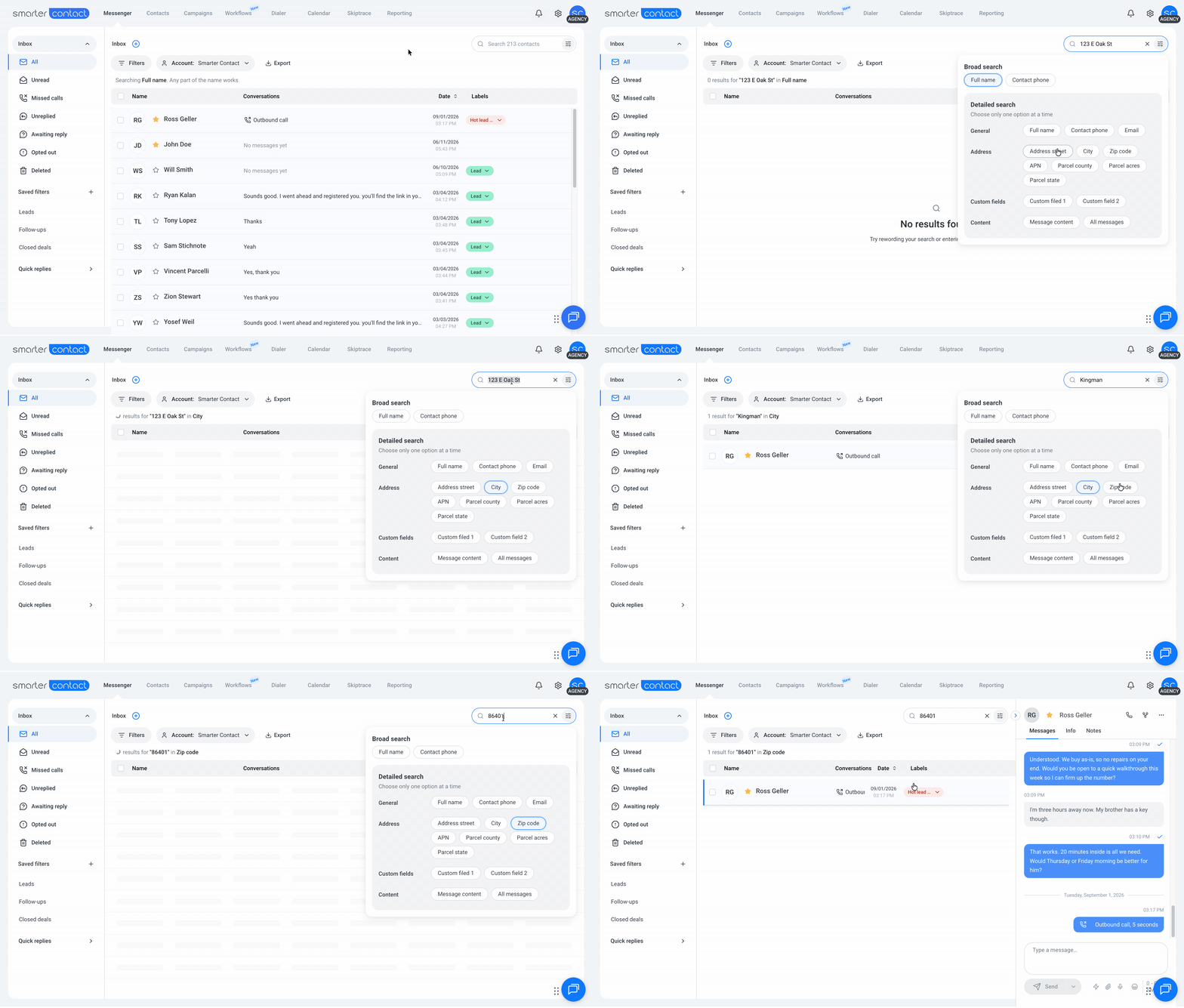
- States take two letters.
FLorCAreturns results without needing a third character. - Parcel details for land investors. APN, parcel county, parcel acres, and parcel state each get their own option under Address.
- Custom fields under their own names. The seven you use most appear first, and "Show more" opens the rest.
✅ Fixes you'll notice
- Results no longer flash "No Results" before loading
- Searching inside a sub-account returns that account's own fields, and filters clear when you switch in
- Imports handle duplicate numbers consistently
- Quick replies show the latest version
- Group names have more room in the Contacts → Groups table before they truncate
- Message previews in Messenger truncate cleanly instead of cutting off mid-word
🔭 Coming soon
Web
- Redesigned Membership and card management pages
- More reliable calling, with better audio quality
- Multi-tab calling, so you can work across tabs without losing your place
- Automatic call recording, plus a cleaner call history view
- True "Select all" and bulk actions on Messenger
Mobile
- Scheduled messaging
- Performance improvements and app store requirement updates
More on the way.
🗺️ Your feedback = our roadmap
Every update we ship comes from something a customer told us. Want to shape what comes next? Send us a message, record a quick video, or book time with our product team.
With 💙,
The Smarter Contact Team