

If you capture leads from website forms, Google Forms, Facebook Lead Ads, or other external platforms, the Smarter Contact Opt-In API connects those tools directly to your messaging workflow.
When a new lead submits their information, the integration instantly pulls their details into your account and sends a compliant opt-in text message. This eliminates manual data entry, prevents missed opportunities, and keeps your outreach fully compliant from the very first interaction.
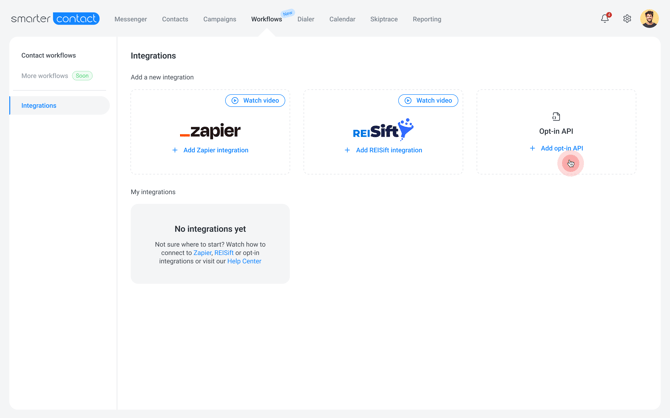
Why Use the Opt-In API?
-
Skip the manual imports: Stop downloading and uploading CSV files to move contacts from your external lead sources into Smarter Contact.
-
Engage leads instantly: Reach out to high-intent prospects right away. The system sends an automated opt-in message the second a form is submitted, while your business is still top of mind.
-
Built-in compliance: Stay aligned with industry regulations automatically. The system creates a documented consent record for every new inbound contact without any extra effort on your end.
Key Features
-
Universal connectivity: Connect with hundreds of lead sources using integration tools like Zapier and Make, or by routing your HTML form's action URL directly to the API.
-
Free opt-in messaging: The automated compliance texts sent to new contacts are completely free and do not deduct from your account's SMS balance.
-
Automated organization: All incoming contacts are neatly organized into a dedicated Opt-in queue folder, so your team knows exactly who is ready for outreach.
How It Works
-
Lead Capture: A prospect submits their contact info via your website form, Facebook Lead Ad, or other connected source.
-
Data Transfer: Your integration tool (e.g., Zapier) or HTML form instantly sends those details to Smarter Contact.
-
Automated Sending: The system automatically sends a compliant opt-in text from one of your active, approved phone numbers.
-
Queueing: The new contact is placed in the Opt-in queue folder on your Contacts page.
-
Assignment: Your team assigns the queued leads to a specific group, making them ready for active campaigns.
The Standardized Opt-In Message
To ensure your messaging strictly meets carrier regulations, the system sends this exact standardized message:
Welcome to [Your Company Name]. Message and call frequency may vary. Data rates may apply. Reply STOP to unsubscribe or HELP for help.
Note: The [Your Company Name] field automatically fills in the Legal Company Name filed in your account settings.
Important Details to Know
Before you set up the Opt-In API, please keep these operational details in mind:
-
Plan Availability: This feature is available on all professional and enterprise tiers. It is not available on the Starter plan.
-
Phone Number Required: You must have at least one approved messaging phone number active in your account to initiate the workflow.
-
Business Hours: To respect quiet hours and maintain compliance, the automated messages are only sent during your configured business hours.
-
Reporting: Because these automated compliance texts are free, they are excluded from your reporting statistics so your campaign performance metrics stay perfectly accurate.
Related Resources
-
[How to Set Up the Opt-In API]: Step-by-step instructions for connecting your external lead sources.
-
[Managing Contacts in the Opt-in Queue]: Learn how to review and route your newly captured leads to active campaigns.
-
[Managing Your Opt-In API Integration]: How to pause data ingestion, regenerate your URL, or delete a connection.